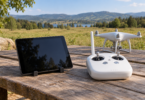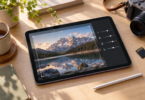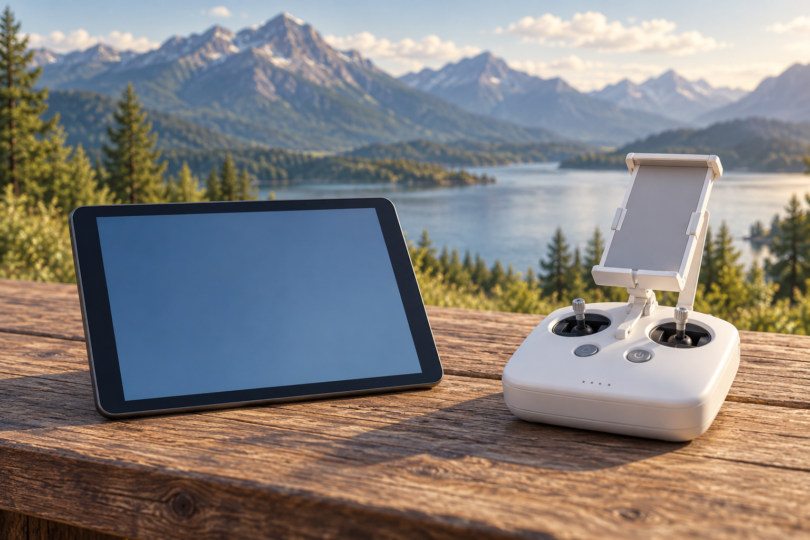

For a Phantom 4 with a controller that takes an external display, the iPad mini 4 and iPad Air 2 are the clearest legacy tablet models to investigate: DJI still names both in its GO 4 compatibility list. Choose the mini 4 for a smaller screen or the Air 2 for more viewing area. The CrystalSky 5.5-inch High Brightness is a separate dedicated-display option, not a general-purpose tablet.
These are conditional legacy-hardware recommendations, not a promise that any used unit or software combination will work. Before buying, confirm the exact aircraft and controller, the installable GO 4 version, the tablet’s operating system and the return terms. We have not flown these pairings or measured video latency, outdoor visibility or battery endurance.
First check which Phantom 4 controller you have
Read the model label on the controller. In DJI’s Phantom 4 Pro/Pro+ series manual, GL300F is the Phantom 4 Pro controller and GL300L is the Pro V2.0 controller; both have a mobile-device holder and a USB port for the GO 4 device connection. GL300E (Pro+) and GL300K (Pro+ V2.0) have an integrated Android display running GO 4.
An integrated-screen Plus controller changes the purchase: buying a loose tablet is not automatically a replacement or upgrade for its built-in screen. Check DJI’s instructions for that exact controller before spending money. Likewise, a controller sold for another DJI drone family is not a verified substitute simply because it has a screen.
DJI’s current GO 4 supported-product list includes Phantom 4, Phantom 4 Advanced, Phantom 4 Pro and Phantom 4 Pro V2.0. The detailed GL300F/GL300L port guidance here comes from the Pro series manual; check the matching manual for a standard Phantom 4 or Advanced controller. This guide does not cover RTK or Multispectral configurations.
The three display options
| Option | Documented screen | Why it makes the shortlist | Main buying limitation |
|---|---|---|---|
| Apple iPad mini 4 | 7.9 in; 2048 × 1536 | Explicitly named in DJI GO 4 device list; smaller option | Legacy unit condition and exact OS/app/controller pairing need checking |
| Apple iPad Air 2 | 9.7 in; 2048 × 1536 | Explicitly named in DJI GO 4 device list; larger screen | More physical screen area; check holder fit and used-device condition |
| DJI CrystalSky 5.5-inch High Brightness | 5.5 in; 1920 × 1080; rated 1,000 cd/m² | Dedicated monitor with GO 4 and Phantom 4-series documentation | Separate mounting bracket and suitable charger; not a general-purpose tablet |
1. iPad mini 4: our compact legacy-tablet option
The iPad mini 4 has a 7.9-inch 2048 × 1536 display and a Lightning connection. Apple lists the Wi-Fi model at 298.8 grams and the Wi-Fi + Cellular version at 304 grams. It is a named model in DJI’s GO 4 list, which is stronger evidence than an unsupported claim that any recent Android tablet will work.
We would start here when a smaller display is easier to carry and hold with the controller. The tradeoff is less screen area for reading the camera view and controls than the Air 2. Check holder grip with your actual case attached, and test the exact data cable and app before the return window closes.
Use Apple’s iPad mini 4 specifications to identify the model while comparing used or refurbished offers. Avoid listings whose title, resolution, camera specifications or model details disagree. A listing called “mini 4” that describes a different iPad generation is not a reliable buying shortcut.
2. iPad Air 2: our larger-screen legacy option
The Air 2’s 9.7-inch display uses the same 2048 × 1536 resolution as the mini 4, giving a larger viewing surface rather than more pixels. It also uses Lightning and is explicitly named in the GO 4 device list. Apple lists 437 grams for Wi-Fi and 444 grams for Wi-Fi + Cellular.
Consider the Air 2 when the bigger view matters more than minimum size and weight. Check the controller holder, any protective case and how the assembled setup feels in your hands. More display area is not proof of a brighter outdoor image or lower video delay, and we have not measured either.
Compare an offer with Apple’s iPad Air 2 specifications. Confirm “Air 2” in the device’s own model information, not just the seller title. The original Air and later Air generations should not be silently substituted for this exact legacy recommendation.
3. CrystalSky 5.5-inch High Brightness: a dedicated monitor alternative
DJI documents the 5.5-inch High Brightness CrystalSky at 1920 × 1080 and 1,000 cd/m², and says CrystalSky supports GO 4 and the Phantom 4 series. This is the option to investigate if you specifically want a dedicated DJI display instead of a general-purpose iPad. The screen resolution does not mean 1080p live transmission: DJI expressly says CrystalSky does not support that transmission resolution.
Check the whole display kit, not just the monitor price. DJI’s store documentation calls for a CrystalSky remote-controller mounting bracket for Phantom 4-series controllers and says the monitor does not include a charger. Confirm the exact controller, bracket, connecting cable, battery and compatible charger together. The documentation is not a stock guarantee or proof that a used kit is complete.
Start with DJI’s CrystalSky documentation and identify the 5.5-inch High Brightness version. Do not mix its specifications with the larger 7.85-inch or Ultra Brightness models. Check the installed firmware and working GO 4 connection before buying a legacy unit.
DJI GO 4, app downloads and modern-tablet uncertainty
Use DJI’s GO 4 download page for the consumer Phantom 4 models it lists. Do not choose DJI Fly merely because it is the app for another DJI drone. DJI names the applicable aircraft on the GO 4 page, and the Pro-series manual specifically describes the GO 4 mobile-device connection.
At this check, DJI lists GO 4 version 4.3.68 for iOS with an iOS 10.0 minimum, and Android version 4.3.64 with an Android 5.0 minimum. The US App Store listing is also accessible. A minimum OS requirement and an available download are not proof that a particular modern tablet, OS update or controller combination has been flight-tested.
The Android recommendations on the captured GO 4 page are named phones; they do not establish support for an arbitrary current Android tablet. DJI’s generic “iPad” and “iPad Pro” entries also do not identify every later generation. If you want a newer tablet for everyday use as well as flying, get model-specific confirmation and test that exact setup before keeping the purchase.
What to check before keeping a used tablet
- Verify the model on the device itself, along with storage, Wi-Fi/cellular version and the seller’s condition description. Ask for the actual unit details when a listing combines several generations.
- Confirm the device can be set up with your own account and that the required app can be installed. Inspect the screen, charging port, battery condition and return policy before treating a low price as a good buy.
- For the GL300F/GL300L controllers documented here, use the USB mobile-device connection shown in DJI’s manual. The iPads in this shortlist use Lightning, so select a suitable USB-to-Lightning data cable with enough length for the holder. A charging-only cable or an OTG cable advertised for another drone is not established by that description alone.
- Before a flight, verify the camera view, controls, telemetry and connection on the ground with the exact hardware and software, then follow the aircraft’s full preflight instructions. This check does not replace those instructions or establish that every flight condition has been tested.
Frequently asked questions
Can any new Android tablet run a Phantom 4?
That is not established by DJI’s GO 4 list. Android 5.0 or later is the published minimum, but the recommended-device list does not verify every tablet or later OS release. Require confirmation for the exact model and setup.
Does a Phantom 4 Pro+ need a separate tablet?
Its GL300E controller has an integrated display running GO 4; the Pro+ V2.0 GL300K does too. Do not buy a separate tablet expecting it to replace that screen without checking the controller’s supported connections and instructions.
Should I get a cellular iPad?
Apple lists assisted GPS and GLONASS for the Wi-Fi + Cellular versions of both legacy iPads, while the Wi-Fi versions have different location capabilities. Check whether the specific features you intend to use require the mobile device’s location hardware before paying extra. A cellular label alone does not prove the whole flight setup is compatible.
Is CrystalSky the same as an Android tablet?
Treat it as a dedicated DJI monitor with its documented apps and mounting requirements. The 5.5-inch High Brightness model is a separate alternative to the iPads here, not evidence that any Android tablet is interchangeable.
Which option has the least video lag?
We cannot name a measured winner: we have not tested these combinations. App version, controller, cable, hardware condition and operating conditions all need checking on the actual setup.