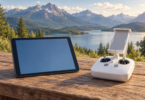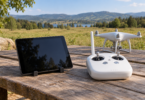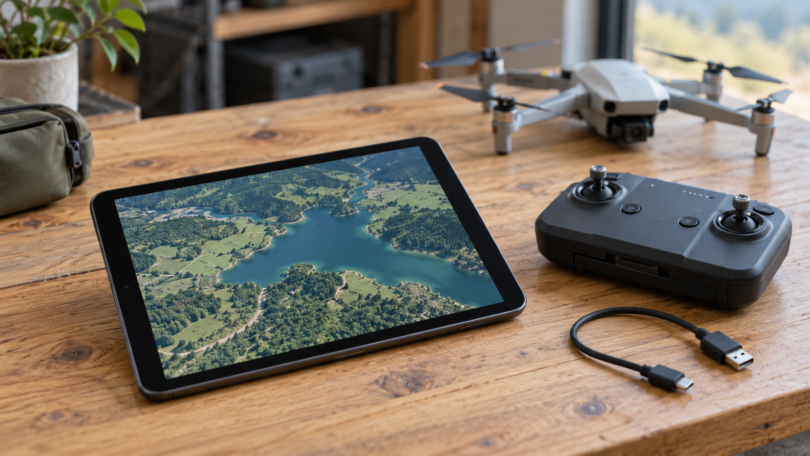

The first step in choosing a tablet for a DJI Phantom 4 Pro is identifying the remote controller. A controller with its own screen needs a different approach from one with a phone-and-tablet holder. For the latter, the iPad mini (A17 Pro) and iPad (A16) are two current hardware options worth evaluating, but neither is a confirmed flight-compatible recommendation for every Phantom 4 Pro setup.
Before spending money: DJI’s service-suspension notice lists June 1, 2025 for the original Phantom 4 Pro and Pro+, and October 31, 2026 for Phantom 4 Pro V2. DJI says the suspension covers product inquiries, technical support and maintenance. An expensive new tablet cannot restore that support. We would keep a working, appropriately maintained setup before buying a replacement solely for this aircraft.
Match the aircraft and controller first
| Your setup | Display arrangement | What that means for shopping |
|---|---|---|
| Original Phantom 4 Pro, GL300F | USB connection; holder for phones and tablets | A separate mobile device is the relevant purchase |
| Original Phantom 4 Pro+, GL300E | Built-in 5.5-inch display | An external tablet is not the standard display setup |
| Phantom 4 Pro V2.0, GL300L | USB connection; holder for phones and tablets | Evaluate a tablet with this exact controller and firmware |
| Phantom 4 Pro+ V2.0, GL300K | Built-in 5.5-inch display | Check the integrated display before buying anything external |
These distinctions come from DJI’s original Pro support page and V2.0 support page. DJI explicitly says the original and V2.0 controllers are not interchangeable because their transmission systems differ. Read the model label rather than relying on a seller’s “Phantom compatible” description.
DJI GO 4 eligibility is only the starting point
The app for these aircraft is DJI GO 4. DJI’s download page still names older iPads such as Air 2 and mini 4, alongside broad iPad and iPad Pro labels. That historical list does not certify every later generation, operating-system update or connection cable.
The official DJI Go4 App Store listing, published by SZ DJI TECHNOLOGY CO., LTD, lists both iPad mini (A17 Pro) and iPad (A16) among eligible devices. Store eligibility means the app is offered for that hardware; it does not prove a stable camera feed or reliable operation with your aircraft. No exact present iPadOS build is flight-validated by this guide. Check the listing on the actual tablet, its installed iPadOS version, and your controller before committing to a purchase.
Two tablet configurations to evaluate
1. iPad mini (A17 Pro), 128GB, Wi-Fi, Blue: the compact candidate
The A17 Pro iPad mini has an 8.3-inch, 2266 × 1488 display, a laminated screen with an antireflective coating, and a USB-C port. The Wi-Fi model weighs 293g and measures 195.4 × 134.8 × 6.3mm. Those dimensions and lower weight make it the first of these two we would assess for a compact controller setup.
Apple rates its screen at 500 nits. That specification is not a promise of comfortable viewing in direct sunlight, and the smaller display gives you less physical room for controls. Check visibility, cable routing and holder grip with your case fitted. A mount or sunshade is an additional purchase unless the offer explicitly includes it.
Purchase condition: choose the A17 Pro generation, 128GB, Wi-Fi and Blue only after confirming the exact device/OS/controller combination. It is an evaluation candidate, not a DJI-certified Phantom display. Apple’s standard box lists the tablet and charging accessories, not a controller data cable or mount. Compare the exact configuration through Apple’s iPad mini configurator, with availability and return terms checked at purchase.
2. iPad (A16), 128GB, Wi-Fi, Blue: the larger-screen candidate
The iPad with A16 has an 11-inch-class display, 2360 × 1640 resolution and a USB-C port. Its Wi-Fi version weighs 477g and measures 248.6 × 179.5 × 7mm. Choose this size for evaluation when seeing controls and the map on a larger surface matters more than keeping the controller assembly compact.
It is also rated at 500 nits, so the larger display does not establish better sunlight readability. Measure the controller holder’s opening and assess balance with the case and cable installed; we have not verified that a particular holder, adapter or protective case fits. A secure mechanical fit is separate from app eligibility.
Purchase condition: specify A16, 128GB, Wi-Fi and Blue in Apple’s iPad configurator. This is another conditional evaluation option, not a confirmed flight setup. Check the exact iPadOS build and controller connection before buying, or use a returnable purchase that permits ground evaluation. No particular retailer price, stock position or accessory bundle is assumed.
Check the complete setup, not just the tablet
- Data cable: match the controller’s USB connection to the tablet’s USB-C port with a proper data-capable cable. A charging lead, HDMI adapter or cable sold for a different DJI remote is not proof of compatibility. The tablet’s included USB-C charging cable may not match the controller’s port.
- Location hardware: both compared configurations are Wi-Fi-only. Apple reserves GPS/GNSS for their Wi-Fi + Cellular versions. Do not assume Wi-Fi positioning supplies the tablet location required by a particular controller-position feature. Verify that feature’s requirements separately; the aircraft’s satellite receiver is a different component.
- Software and permissions: use the official app source, check necessary permissions and account access, and keep the tablet on a supported, maintained operating system. If a combination only works after disabling security or installing an unofficial app build, choose another setup.
- Ground checks: following the aircraft manual, verify app launch, controller recognition, live view, telemetry and the functions you need while safely on the ground. Stop if the feed disconnects or the app fails. A successful ground check is not a flight-safety guarantee.
Add the tablet, correct cable, holder or adapter, case and any shade to the same budget. Storage upgrades and a faster processor should not take priority over a combination that actually works with the controller. Neither tablet has been flight-tested for this article, and no battery-runtime or connection-reliability ranking is implied.
Frequently asked questions
Should I buy an iPad Air 2 or mini 4 because DJI lists it?
Not solely for that reason. They are much older devices, and a historical compatibility entry does not establish current OS security maintenance, battery condition, app availability or repair support. For a used offer, verify all four plus the exact controller connection. This guide does not recommend buying either as a fresh long-term setup.
Will any Android tablet work with DJI GO 4?
No. An Android version number or a seller’s “GPS tablet” label is insufficient. DJI’s published recommended Android list mainly names specific older phones. We have not established a current Android tablet, app build and Phantom controller combination to recommend here.
Does a Phantom 4 Pro+ need a tablet?
The GL300E and GL300K Plus controllers have integrated displays. Inspect and identify that equipment first. Buying a separate tablet does not by itself replace or repair the built-in screen, and this guide does not establish an external-tablet conversion.
Which of the two iPads should I choose?
Evaluate the mini first when compact size matters, or the A16 iPad when you want more screen area. In either case, confirm actual app/OS/controller operation and a secure mount before treating it as usable flight equipment. If you cannot establish that combination, hold off on buying a tablet specifically for the Phantom.