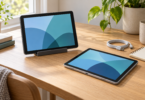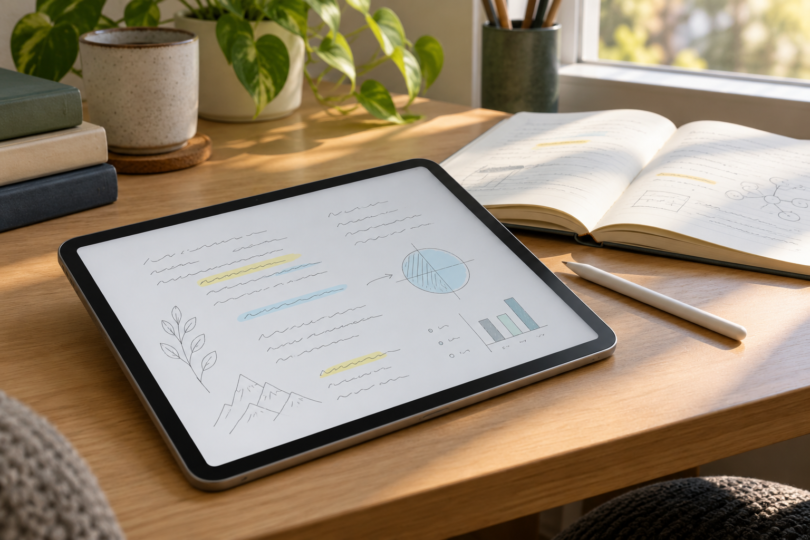

The best note-taking tablet for college depends first on your courses and the apps you use. Our two picks are the iPad (A16) with a separately purchased Apple Pencil (USB-C), and the Samsung Galaxy Tab S10 FE with its included S Pen. Choose the iPad for an iPadOS-based workflow; choose the Galaxy if you want an Android tablet with a pen in the package.
This is a focused comparison of documented features, not a hands-on handwriting or battery test. We have not ranked every tablet on the market. Before buying, check the total cost of the tablet, compatible pen, case and any required app plan against your actual coursework.
Compare the two college note-taking tablets
| Tablet configuration | Pen arrangement | Platform | Best fit and main check |
|---|---|---|---|
| iPad A16, Wi-Fi, 128GB, Silver | Apple Pencil USB-C purchased separately | iPadOS | An iPad app workflow; budget for the pen |
| Galaxy Tab S10 FE, Wi-Fi, 128GB, Gray | S Pen included; keyboard separate | Android | A pen-included setup; check exact Android app features |
1. iPad A16: for an iPad app workflow
The iPad (A16) is our pick if the apps you need are available on iPadOS and you want to combine typed notes, reading and pen input in one tablet. The configuration linked here is the Wi-Fi model with 128GB of storage in Silver. Decide how much space your downloaded textbooks and course files need before choosing capacity.
Buy the pen deliberately: this iPad supports Apple Pencil (USB-C) and Apple Pencil (1st generation). For a new notes setup, our suggested pairing is the USB-C Pencil, which is sold separately. Apple’s tablet box list contains the iPad, USB-C cable and 20W USB-C adapter; a Pencil is not included.
Apple Pencil (USB-C) supports palm rejection, pairs and charges through USB-C, and attaches magnetically for storage. It does not have pressure sensitivity or wireless charging. That distinction matters if you also want pressure-controlled drawing. If you already own a first-generation Pencil, Apple specifies a USB-C to Apple Pencil Adapter for pairing and charging with this iPad.

2. Galaxy Tab S10 FE: for an included S Pen
The Galaxy Tab S10 FE in Gray, 128GB Wi-Fi is our pick if you prefer an Android setup with the pen included. Samsung’s exact US model is SM-X520NZAAXAR, with a 10.9-inch screen and 8GB RAM. Its Book Cover Keyboard is sold separately, so include that cost only if you expect to type longer assignments on the tablet.
Samsung’s manual documents handwriting in Samsung Notes, importing a PDF and adding notes to it, and converting handwriting to text. These are useful tools for lecture notes and annotated readings. Check conversion results before using them in an assignment; documented conversion is not a promise that names, equations or hurried handwriting will be transcribed correctly.
For palm-contact handling, try the exact app you plan to use. Samsung Notes documents a separate “Turn on finger drawing” option; check its setting and test your normal writing posture. This is not evidence that every Android app will handle a resting hand identically, and we have not compared palm-rejection performance.
Check the apps before the hardware
App names alone can hide differences. Goodnotes says core note-taking and PDF markup are available on Apple, Android, Windows and the web, while its Special Edition is Apple-only. Keeping one library in sync across Apple and non-Apple devices requires Goodnotes Cloud, included with Pro. Check the plan and platform combination you will actually use.
Palm rejection also depends on the input setup. Goodnotes documents built-in palm rejection for Apple Pencil and explains that its manual palm-rejection configuration is for finger input or a non-Bluetooth capacitive stylus. Do not assume that an inexpensive touch stylus provides the same input features as the tablet’s supported pen.
Read your department’s computing requirements before treating either tablet as your only computer. Confirm that required exam, coding, design or lab software works on the specific device and operating system. A tablet that handles lecture notes well may still leave you needing a laptop for a required application.
Try one real workflow before committing: open a course PDF, annotate it, search your notes and export a file that opens on another device. Check offline access and how you will back up important work. If a trial or demonstration is available, use your usual writing posture and look for unwanted marks from your resting hand.
Which should you buy?
Choose the iPad A16 when the iPad apps you need justify a separate Pencil purchase. Choose the Galaxy Tab S10 FE when its Android apps suit your courses and an included S Pen makes the package simpler for you. Neither recommendation depends on an assumed sale price, claimed review score or promise of better grades.
Frequently asked questions
Does the iPad A16 include an Apple Pencil?
No. Apple lists the tablet, USB-C cable and power adapter in the iPad box. The compatible Apple Pencil is a separate purchase, so compare the combined cost.
Which Apple Pencil works with the iPad A16?
Apple lists Apple Pencil (USB-C) and Apple Pencil (1st generation). The first-generation model needs a USB-C to Apple Pencil Adapter to pair and charge. The USB-C model lacks pressure sensitivity, so choose with your writing and drawing needs in mind.
Does the Galaxy Tab S10 FE include its pen and keyboard?
Samsung includes S Pen with the Galaxy Tab S10 FE series. The Book Cover Keyboard is sold separately. Check the exact model and package contents if you choose a retailer bundle.
Will the same notes app work identically on both tablets?
Do not assume so. Goodnotes supports several platforms, but its Special Edition is Apple-only and cross-platform library sync requires Goodnotes Cloud with Pro. Check the features, plan and export options you need on each platform.
Can a note-taking tablet replace a college laptop?
Only if it meets all of your course requirements. Confirm support for required software, exams and file formats first. If a course needs a desktop application unavailable on the tablet, plan for access to a suitable computer.