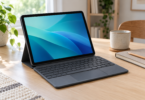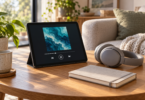

The best tablet for a $100 item budget in this shortlist is the onn 7-inch Core, Silver, model TBSIL36020962. Its 4GB of RAM and 64GB of storage give it more room for everyday apps than the other pick here. The Contixo A7 Blue makes more sense for a child when its included case, stand and learning apps are useful to your family.
Both are new, standalone Android tablets sold through US shopping routes. On October 18, 2026, the selected onn offer was US$97 and the Contixo offer was US$99.99. Those are item prices, before tax, any shipping charge and extra accessories. Neither is a promise of a tablet delivered for $100. If $100 is your absolute checkout limit, do the total-cost check below before choosing either.
Compare the two $100 tablet picks
| Tablet and exact version | Best fit | Core specifications | Main tradeoff |
|---|---|---|---|
| onn 7-inch Core, Silver, TBSIL36020962 US$97 observed |
General home use on a small screen | Android 16; 4GB RAM; 64GB storage; 7-inch, 1024 × 600 display | Power adapter sold separately; little room under $100 for tax or extras |
| Contixo A7 Blue, A7-Blue US$99.99 observed |
A child’s first tablet when the case and learning apps matter | Android 15; 3GB RAM; 32GB storage; 7-inch, 1024 × 600 display | Less RAM and storage; app trials expire; wall-adapter inclusion needs checking |
These recommendations compare documented specifications, exact configurations, manuals and observed offers. They do not represent hands-on speed, battery or durability testing. The shortlist is deliberately small: each pick has a specific reason to buy it and a specific budget compromise.
1. onn 7-inch Core: the better general-purpose choice
Choose the Silver onn 7-inch Core, TBSIL36020962, at Walmart if you want a small tablet for reading, browsing and occasional video, and already have a suitable charger. The selected new tablet was US$97. Its listing specifies Android 16, a G80 processor, 4GB RAM and 64GB storage. Match the model number and memory when shopping; an older onn 7-inch tablet with a similar name is a different purchase.
The most useful advantage over the A7 is straightforward: the onn has 1GB more physical RAM and twice the advertised storage. That favors it for a mixed collection of apps and downloaded media, although storage capacity is not the same as free space after the operating system. These specifications do not establish a particular game frame rate or guarantee that every app will run well.
What works in its favor: a compact format, the larger memory configuration of these two picks, and a documented update commitment. The manufacturer’s quick-start guide for TBSIL36020962 states three years of security updates from launch and an upgrade to Android 17. That is measured from the product’s launch, not from your purchase date; the guide does not establish a remaining three-year term for a buyer today or an exact upgrade rollout date.
What to watch: the 1024 × 600 screen is small and relatively low-resolution. It is a more sensible fit for reflowable ebook text than dense spreadsheets or full-page PDFs. The box list includes a USB-C cable, guide and memory-card ejection pin, but no wall adapter. The guide recommends a 10W charger, so allow for one if you do not already have a compatible unit.
Buy it when: the compact screen suits your tasks, your important apps support the tablet, and the checkout total fits your budget. Skip it when: you need a roomy work screen, verified high-end gaming performance or a guaranteed $100 total including a new charger and tax.
2. Contixo A7 Blue: the child-focused option
The Contixo A7 Blue, variant 47775972589819 was listed at US$99.99 on the manufacturer’s US-dollar storefront. A matching new Blue A7 Walmart marketplace listing also showed US$99.99, with AmazinGadget displayed as the seller. Check the seller and condition again before ordering; marketplace offers can change.
This exact A7 has Android 15, 3GB RAM and 32GB storage. The manufacturer’s A7 manual specifies a 7-inch IPS screen at 1024 × 600 and microSD support up to 512GB. A separately purchased memory card adds storage; it does not turn 3GB of physical RAM into a higher-memory tablet.
What works in its favor: the Blue version comes with a protective case and kickstand, and Contixo lists 14 Academy learning apps. It also advertises a seven-day Lingokids trial and a 30-day Epic! Books trial. Treat those trials separately from the included apps, and check their renewal terms before activating them. The case can be useful for everyday handling, but it is not a guarantee against drops or liquid damage.
What to watch: the onn is the stronger choice on physical RAM and storage alone. The A7 earns its place through the child-oriented package, not a proven performance advantage. We could not confirm a fixed future Android-upgrade or security-support term in the A7 product page and manual reviewed. If you need a device for several years of school use, ask Contixo about support before buying.
Charging needs attention too. The manual specifies a 5V/2A charger and mentions an included USB cable; the materials reviewed do not establish that a wall adapter comes with this exact offer. Confirm the box contents and follow the manufacturer’s charging instructions. At US$99.99, even a small added charge puts the purchase above a strict $100 limit.
Buy it when: the child will use the case, stand and learning content, and you are comfortable managing app access, screen time and trial subscriptions. Skip it when: you mainly want more storage, heavier multitasking or a documented long-term support commitment.
Work out the real $100 budget
Use this order: tablet price + sales tax + shipping + required accessories. Add optional subscriptions only if you actually intend to keep them. A case, microSD card, charger or keyboard should not disappear from the budget simply because it is sold separately.
For illustration, with an assumed 8% sales tax and no other charges, a US$97 tablet totals US$104.76; a US$99.99 tablet totals US$107.99. This is arithmetic, not a tax quote for your address. Under that example, the item price would need to be about US$92.59 or less to stay within US$100 before any other costs. Use your actual checkout figures.
If the total is too high, wait for a qualifying offer or compare a clearly identified refurbished option with its own warranty, condition and return terms. A low advertised starting price, a different color, an old deal article or an Amazon price hidden until the cart is opened does not confirm the price of the exact tablet you want. Our two quoted prices are dated observations, not permanent sale promises.
Check the jobs you need it to do
- Reading and web browsing: prioritize comfortable text size and the apps you use. A seven-inch screen is portable but leaves little room for two documents or a large on-screen keyboard.
- Video: both selected screens are 1024 × 600. Neither can display native Full HD or 4K detail. The onn guide lists Widevine L1, but streaming resolution also depends on the app and its device support. Netflix’s Android guidance requires Widevine L1 for HD; that requirement alone does not prove every tablet or service will deliver HD. We have not verified A7 Netflix HD support.
- School and work: check the exact required app, account setup and video-call needs before buying. A low price and recent Android number do not establish compatibility with a school’s managed software.
- Games: check each game’s device requirements and expect to adjust your expectations for this budget. There are no measured game-performance results behind these picks.
- Children: set up parental controls, review purchases and permissions, and test the intended apps during the return period. An included case or learning app does not replace adult setup and supervision.
Which one should you buy?
Start with the onn 7-inch Core Silver for general use: its 4GB/64GB configuration and documented support policy make the more useful combination for this shortlist. Pick the Contixo A7 Blue when the child-focused case, stand and learning content are the reason for the purchase. For either model, the final decision is the same: verify the exact version, new condition, required charger and checkout total before paying.
Frequently asked questions
What is the best tablet for a $100 item budget?
The onn 7-inch Core Silver, model TBSIL36020962, is the general-purpose pick here. Its observed US$97 item price buys Android 16, 4GB RAM and 64GB storage. Tax, shipping and a separate wall adapter can take the total above $100.
Can I get either tablet delivered for $100?
That total has not been verified. The observed new item prices were US$97 for the onn and US$99.99 for the Contixo A7 Blue. Check your delivery address, tax, shipping and required accessories at checkout; neither quoted item price guarantees a delivered total below $100.
Which pick is better for a child?
The Contixo A7 Blue is the child-focused option because of its protective case, kickstand and learning apps. It has 3GB RAM and 32GB storage. Its Lingokids and Epic! offers are time-limited trials, so review renewal terms and set up parental controls before use.
Do these tablets include a wall charger?
The onn package lists a USB-C cable but no wall adapter, and its guide recommends a 10W charger. The Contixo A7 manual specifies 5V/2A charging and an included USB cable, but wall-adapter inclusion was not confirmed for the selected offer. Check before ordering.
Will these tablets receive software updates?
The exact onn model’s guide promises security updates for three years from launch and an Android 17 upgrade, without establishing a new three-year term from purchase. A fixed future support period was not confirmed in the Contixo A7 product page and manual reviewed.