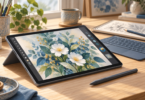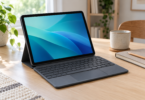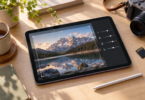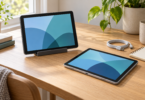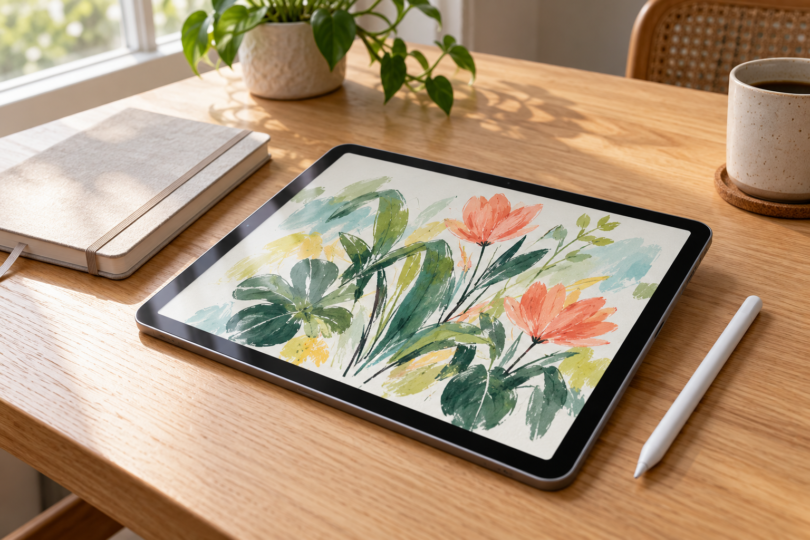

The most useful tablet-with-stylus comparison starts with the pen you will actually use. Samsung’s Galaxy Tab S10 FE includes an S Pen, while iPad mini with A17 Pro works with Apple Pencil Pro, purchased separately. The Samsung gives you a larger workspace and an included pen; the iPad mini offers a smaller iPadOS setup if portability matters more than page size.
Both choices below are standalone touchscreen tablets for notes and drawing. Check the complete tablet-and-pen combination before paying: an unspecified “stylus compatible” label does not tell you which pen is included, whether pressure works or which features your app can use.
Compare the complete setup
| Selected tablet | Pen | Good fit | Main tradeoff |
|---|---|---|---|
| Galaxy Tab S10 FE, 10.9-inch, 128GB, Wi-Fi, Gray | S Pen included | Handwritten notes and a larger Android drawing workspace | The included pen has no Bluetooth Air actions |
| iPad mini A17 Pro, 8.3-inch, 128GB, Wi-Fi, Space Gray | Apple Pencil Pro, bought separately | A compact iPad for notes and sketches | The screen is smaller and the pen adds a separate purchase |
1. Galaxy Tab S10 FE: a larger screen with the pen included
The configuration here is the 10.9-inch Galaxy Tab S10 FE with 128GB storage, Wi-Fi and a Gray finish. It is the standard FE size, not the FE+ or S10 Lite. The selected listing includes the tablet and S Pen, so you do not need to add a separate pen to start using its supported handwriting features.

Samsung Galaxy Tab S10 FE, 128GB, Wi-Fi, Gray, S Pen included
As an Amazon Associate we earn from qualifying purchases.
Samsung describes the included S Pen as pressure-sensitive and supports note-taking, drawing and navigation. Its Tab S10 FE feature guide explains S Pen tools and the Air command menu. Samsung Notes is a natural place to check the handwriting workflow, while other apps should be evaluated for the tools and file formats you need. A pen feature appearing in the hardware description does not mean every app exposes it in the same way.
The included S Pen does not support Bluetooth Low Energy, so Bluetooth pairing, pen charging and Bluetooth Air actions are not part of this model’s pen feature set. That is different from the on-screen Air command menu. If your priority is remote gesture control, do not assume every S Pen has the same capabilities. For tilt-dependent drawing brushes, confirm support in your exact app before choosing the setup.
Choose this setup if you want an included pen and more room for a handwritten page than the iPad mini offers. The 10.9-inch display makes it a useful candidate for desk notes and side-by-side reference work, although your preferred app controls how that workspace is used. Its tradeoff is a larger tablet to carry; this is an Android device, so verify any required software in its Android version.
2. iPad mini A17 Pro: a compact tablet with a separate Pencil
The selected iPad mini has the A17 Pro chip, 128GB storage, Wi-Fi and a Space Gray finish. Apple specifies an 8.3-inch display and support for Apple Pencil Pro and Apple Pencil (USB-C). This is the A17 Pro model, so a pen recommendation for an older iPad mini should not be carried over without checking compatibility.

Budget separately for Apple Pencil Pro. Apple lists it as compatible with iPad mini A17 Pro, and the iPad’s box contents do not include a Pencil. Pencil Pro supports pressure and tilt sensitivity and attaches magnetically for pairing and charging. Those are useful capabilities for drawing, but the effect of a particular brush or gesture still depends on the app.
Apple Pencil (USB-C) is another compatible choice, particularly if your main concern is handwritten notes and document markup. It supports tilt but does not provide pressure sensitivity, and it pairs and charges through USB-C. Compare that tradeoff before buying: a pen that draws a line on the screen does not necessarily vary that line with pressure. Apple Pencil (2nd generation) is not the Pencil to choose for this iPad mini.
Choose the mini if a compact iPad fits your routine and you already know the iPadOS apps you want. Its smaller screen is the compromise. A full-page PDF, a detailed canvas or a reference document beside your notes can require more zooming and navigation than on a larger tablet. Try the page layout you expect to use before making portability the deciding factor.
How to choose a tablet and pen together
- Start with the app. Check the exact Android or iPadOS version, import and export formats, and any separate subscription or purchase. A desktop app with a familiar name may have a different tablet feature set.
- Check the pen by model. For the selections here, that means the included Tab S10 FE S Pen or a compatible Apple Pencil purchased separately.
- Separate pressure from tilt. Pressure changes a stroke according to how hard you press; tilt can affect shading. Confirm the features in the pen-and-app combination you intend to use.
- Compare usable page space. A larger screen can give notes or reference material more room. A smaller screen is easier to fit into a compact setup.
- Count the extras. Recheck pen inclusion, case fit, charging accessories, storage, connectivity and the selected seller before ordering.
For an included-pen setup with a larger display, start by comparing the Galaxy Tab S10 FE. For a small iPad, compare iPad mini A17 Pro plus the exact Pencil you need. The right choice is the combination that supports your notes, drawing tools and file workflow without leaving a necessary pen or app out of the budget.
Frequently asked questions
Does the Galaxy Tab S10 FE include an S Pen?
Yes. Samsung confirms an included S Pen, and the selected 128GB Wi-Fi Gray listing includes it with one tablet. Recheck the package contents if you choose a different seller, used offer or bundle.
Which Apple Pencil works with iPad mini A17 Pro?
Apple lists Apple Pencil Pro and Apple Pencil (USB-C) as compatible. They are separate purchases. Apple Pencil (2nd generation) is not listed as compatible with this iPad mini model.
Does Apple Pencil USB-C have pressure sensitivity?
No. Apple’s feature comparison lists tilt sensitivity for Apple Pencil (USB-C), but not pressure sensitivity. Apple Pencil Pro supports both, making it the more suitable choice when your drawing app uses pressure-controlled strokes.
Does the included Tab S10 FE S Pen need charging?
Samsung says the included S Pen does not support Bluetooth pairing, charging or Bluetooth Air actions. It supports pressure-sensitive writing and drawing. The Air command menu is a separate on-screen feature.
Can these tablets run the same apps as my computer?
Do not assume so. Galaxy Tab S10 FE runs Android, while iPad mini uses iPadOS. Check the tablet version of each required app, including file compatibility, pen features and any separate payment, before choosing either setup.