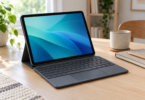


The best tablet with a keyboard under $300 depends on where you type. The onn 11-inch Core Tablet with its matching keyboard folio is the more convenient setup to carry between rooms or classes. The Lenovo Idea Tab with a Logitech K480 is the better fit for a desk, where its higher-resolution screen and separate keyboard are useful.
Both recommendations below include a specific tablet and a separately priced compatible keyboard. Neither tablet price includes the keyboard. The listed item totals were available from the linked U.S. offers on October 17, 2026; sales tax, any shipping charges, and optional accessories are extra. Check the two selected items and the final delivered total before ordering, especially if $300 is an absolute limit.
Our tablet-and-keyboard shortlist
| Complete setup | Item total | Best fit | Main compromise |
|---|---|---|---|
| onn 11-inch Core, 128GB, Navy, 2026 + onn 2026 11-inch Keyboard Folio Case | $196.00 + $29.88 = $225.88 | A fitted case, kickstand, keyboard, and trackpad | The folio fits this specific 2026 tablet; the keyboard needs charging |
| Lenovo Idea Tab ZAFR0912US, 8GB/128GB + Logitech K480, Black | $219.99 + $29.99 = $249.98 | Reading and writing at a desk | No fitted case or trackpad; two separate pieces to carry |
1. onn 11-inch Core with Keyboard Folio: best for an integrated setup
This pairing makes the most sense if you want the tablet, stand, keyboard, and pointing device to travel together. Buy the new onn 11-inch Core Tablet, 128GB, Navy, 2026 model and the onn Keyboard Folio Case for the 2026 11-inch tablet as two items. At the checked offers, both were sold and shipped by Walmart.com.
The tablet has an 11-inch 1840 × 1280 display, 6GB of RAM, 128GB of storage, and Android 16. That combination makes it a sensible candidate for everyday documents, email, web browsing, and reading. Its lower price also leaves more room below the budget cap for a needed charger or other small accessory. It is not a reason to assume that every demanding Android app will run well; check the apps you actually need before choosing it.
The matching folio supplies a detachable Bluetooth keyboard, a trackpad, and a magnetic kickstand. The trackpad matters when you want to move a cursor or navigate without repeatedly touching the screen. Detaching the keyboard also lets you place it farther from the tablet on a table. The tradeoff is a separate keyboard battery to charge through USB-C.
- Why choose it: a fitted protective shell and stand, an included trackpad, and the lower complete item total of the two setups.
- Why skip it: you want a higher-resolution display, need a rigid laptop-style hinge, or already own a different onn tablet.
- Compatibility check: the case listing explicitly limits fit to the 2026 onn 11-inch tablet. A matching screen size alone does not establish compatibility with an older onn model, a Lenovo, or a Samsung.
Do not mistake the case’s product photograph for a tablet-and-keyboard bundle. The tablet shown in the accessory image illustrates fit; the $29.88 offer is the keyboard folio. Likewise, a nearby listing that adds a stylus is a different offer. The recommended $225.88 total is for the two individually linked new items.
The tablet’s stated box contents include a USB-C cable, an ejection pin, and a quick-start guide. A wall adapter is not listed there, so allow for one if you do not already have a suitable charger. A stylus is optional and is not included in this setup’s price.
2. Lenovo Idea Tab with Logitech K480: best for desk-based writing
Choose the Lenovo Idea Tab ZAFR0912US with 8GB RAM and 128GB storage if screen detail matters more than having a fitted keyboard cover. Pair it with the black Logitech K480 Bluetooth keyboard. The checked tablet offer was sold and shipped by Electronic Express through Walmart; the keyboard was sold by RGT GROUP and fulfilled by Walmart. These are marketplace offers, so check the selected seller as well as the price.
The Idea Tab’s 11-inch 2560 × 1600 screen offers more pixels than the onn display. That gives it a stronger specification for reading small text and fitting documents on screen, although comfortable text size still depends on your display settings. This configuration also has 8GB of RAM and a MediaTek Dimensity 6300 processor. Choose it for those concrete differences, rather than assuming that every tablet called “Idea Tab” has the same memory, storage, or accessories.
The K480 connects over Bluetooth and has its own tablet cradle. Logitech specifies a maximum device width of 258mm and thickness of 10.5mm. Lenovo lists the bare Idea Tab at 254.59mm wide and 6.99mm thick, or 8.29mm at the camera bump. Those dimensions fall within the stated cradle limits. This is a fit check from the published dimensions; a thick protective case can change the result.
This is a tabletop arrangement. The keyboard does not attach to the tablet, close over the screen, or supply a trackpad. You can use the touchscreen for navigation, but anyone who wants a pointer without touching the screen should budget separately for a compatible mouse. The K480 can switch between three paired devices, which is useful if the same keyboard will also serve a computer or phone.
- Why choose it: the higher-resolution screen, 8GB RAM configuration, and a keyboard with a built-in cradle and multi-device switching.
- Why skip it: you need a fitted folio, a trackpad, or a compact setup for typing on your lap.
- Compatibility check: select the K480 Bluetooth model, not a similarly named USB-receiver keyboard. Use the bare tablet when checking the cradle’s fit.
The $249.98 item total does not include Lenovo’s optional keyboard, a pen, a case, or a mouse. Product-family photographs can show accessories supplied only with other configurations. The selected tablet is ZAFR0912US; the separately purchased K480 is the keyboard counted here.
What to check before spending $300
Start with the work, then the operating system
Both choices are Android tablets. They make sense when your work fits mobile apps or browser-based services. A physical keyboard does not turn Android into Windows or macOS. If you need a particular desktop application, specialist browser extension, school assessment tool, or elaborate spreadsheet workflow, verify that requirement first. A cheap setup is poor value if it cannot run the software you bought it for.
Count the complete setup
Keep a simple list: tablet, keyboard, something that holds the screen up, and any charging equipment you need. The onn folio supplies the stand; the K480 supplies a cradle. Neither item total includes a data plan, paid app subscription, or optional pen. Extra storage also does not replace working memory: a memory card can hold files, but it does not turn a 6GB tablet into an 8GB one.
Match model numbers and selected offers
Retailer pages can mix new and open-box prices, storage variants, accessory bundles, and several sellers. Compare the actual new configuration you will receive. For the onn setup, “2026” is part of the fit requirement. For the Lenovo, ZAFR0912US identifies the 8GB/128GB offer used in the calculation. If either linked offer changes, add the current tablet and keyboard prices again before treating the setup as under $300.
Think about where you will type
A kickstand or keyboard cradle usually needs a stable surface and some depth behind the screen. Measure your desk or tray if space is tight. For long sessions on a sofa or train, a clamshell laptop may be easier to support. Keyboard layout is also worth checking in the product photos: compact accessory keyboards can move or shrink keys you use frequently.
Do not buy a headline specification alone
Prefer clearly stated physical RAM, storage, screen resolution, and compatible accessories over a long bundle description. Large advertised memory numbers can combine physical RAM with storage used as virtual memory. An impressive accessory count tells you little about typing quality. Return terms, the named seller, and the exact item description deserve the same attention as the price.
Which setup should you buy?
For a tablet that packs away with its keyboard and has a trackpad, start with the onn 11-inch Core plus the matching 2026 folio. For a screen-focused setup that will mostly stay on a desk, choose the Lenovo Idea Tab plus Logitech K480. The decision is about the whole arrangement: integrated carrying convenience on one side, a higher-resolution display and reusable desk keyboard on the other.
Frequently asked questions
Can I buy a tablet and keyboard together for under $300?
Yes. The checked new-item totals are $225.88 for the onn 11-inch Core 2026 plus its matching keyboard folio, and $249.98 for the Lenovo Idea Tab ZAFR0912US plus Logitech K480. Each requires two purchases. Tax, any shipping, and optional accessories are extra, and offers can change.
Is a keyboard included with these tablet prices?
No. The tablet and keyboard are separately priced in both recommendations. The table adds the exact two items needed for each setup. Do not assume a keyboard or pen shown in a tablet photograph is included in the selected offer.
Will any 11-inch keyboard case fit either tablet?
No. Case fit depends on the tablet’s dimensions, camera position, ports, and attachment system. The onn folio is specifically for the 2026 onn 11-inch tablet. The Logitech K480 is a separate Bluetooth keyboard with a cradle, not a fitted Lenovo case.
Can these tablets replace a laptop for school or work?
They can suit work that fits Android apps and browser-based tools, but they do not run every Windows or Mac application. Check your required software, document features, assessment tools, and file-handling workflow before buying.
Which setup includes a trackpad?
The onn 2026 11-inch Keyboard Folio Case includes a trackpad. The Logitech K480 does not. With the Lenovo and K480 setup, use the tablet’s touchscreen or add a compatible mouse separately.