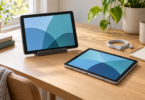


The Apple iPad (A16) is our practical first choice for everyday video calls, especially when family members already use FaceTime. Choose the Samsung Galaxy Tab S10 FE if you prefer Android, or the 13-inch iPad Air (M4) when a larger view of people and shared documents matters more than portability.
All three have front cameras, built-in microphones and speakers. The useful differences are app support, camera position and screen size. These recommendations compare documented features and app requirements; they do not claim hands-on camera or microphone testing.
Compare the three tablet picks
| Tablet and configuration | Best fit | Call hardware | Main compromise |
|---|---|---|---|
| iPad (A16), 128GB Wi-Fi, Yellow | Everyday calls and FaceTime | 11-inch display; landscape 12MP Center Stage camera; dual microphones | Smaller shared-document view than the 13-inch Air |
| Galaxy Tab S10 FE, 128GB Wi-Fi, Silver | Android users and Google services | 10.9-inch display; 12MP ultrawide front camera; built-in microphones | FaceTime requires a web invitation from someone else |
| iPad Air 13-inch (M4), 128GB Wi-Fi, Space Gray | A larger desk-based call screen | 13-inch display; landscape 12MP Center Stage camera; dual microphones | Larger footprint; extra processing power does not guarantee better calls |
These are Wi-Fi configurations. They need internet access but do not require a cellular tablet plan when used on Wi-Fi. Budget separately for a case or stand that holds the camera near eye level.
1. Apple iPad (A16): the straightforward everyday choice
Configuration: 128GB, Wi-Fi, Yellow, model MD4D4LL/A.

Apple iPad (A16), 128GB Wi-Fi, Yellow
As an Amazon Associate we earn from qualifying purchases.
The iPad (A16) puts its front camera on the long edge, a useful arrangement for a landscape call on a desk. Apple specifies a 12MP Center Stage camera, dual microphones and landscape stereo speakers. Center Stage can adjust framing as you move; use it in a supported calling app and check that it is enabled. It is not a promise that every app has identical camera controls.
The marketed 11-inch display has a 2360 × 1640 resolution; Apple measures its full rectangular diagonal at 10.86 inches. That is a sensible size for one-to-one calls and a tablet you also carry around. Choose the larger Air below if your main frustration is tiny faces or text in shared documents.
FaceTime is the simplest reason to choose this iPad over Android when the people you call already use it. Zoom, Google Meet and Teams also have mobile apps, subject to their operating-system and account requirements. Keep iPadOS and those apps updated rather than relying on an old installed version indefinitely.
Choose it if: you want a general-purpose iPad for family calls, appointments or ordinary meetings. Consider something else if: you specifically need Android apps or a larger screen at a fixed desk. The 12MP camera specification describes the camera, not the resolution the other participant will receive. See Apple’s exact iPad specifications and Center Stage instructions.
2. Samsung Galaxy Tab S10 FE: the Android pick
Configuration: US Wi-Fi model, 128GB storage, 8GB memory, Silver; retailer model SM-X520NZSNXAR. This is the 10.9-inch FE, not the larger FE+.

The Tab S10 FE suits someone who already uses Google services and prefers an Android tablet. Samsung specifies a 12MP ultrawide front camera, a 10.9-inch LCD with a 90Hz refresh rate, Wi-Fi 6 and dual speakers. The SM-X520 hardware manual identifies the built-in microphones and places the front camera along the long edge. A stand should leave those openings clear.
Its 90Hz display can make supported interface motion look smoother; that does not turn a meeting into a 90-frame-per-second video stream. Likewise, an ultrawide camera specification alone does not establish automatic framing in every third-party app. Check the actual app’s controls before relying on either feature.
Use the Android Zoom, Meet or Teams app for the service your group has chosen. For Teams, Microsoft supports a rolling window of Android versions, so software updates remain part of the purchase decision. The included S Pen is useful for notes outside a call, but it is not necessary to use the microphone or camera.
Choose it if: Android familiarity and Google-centered workflows matter most. Consider an iPad if: you want to initiate ordinary FaceTime calls yourself. An Android user can join a FaceTime link in a supported browser, but that is a different workflow. Hardware details come from Samsung’s FE specification guide; the regional SM-X520 manual confirms hardware layout, rather than a particular US unit’s installed software version.
3. Apple iPad Air 13-inch (M4): for a larger view
Configuration: 13-inch M4 model, 128GB, Wi-Fi, Space Gray, Apple part MH5N4LL/A. Choose this configuration at Apple; confirm the size, storage and connection in the chooser before ordering.
The Air is the pick for someone who will leave the tablet on a desk and wants more room for a conversation alongside a document. Its 2732 × 2048 display is marketed as 13 inches and measures 12.9 inches as a full rectangle. Apple specifies a landscape 12MP Center Stage front camera, dual microphones and landscape stereo speakers.
The larger display is the reason to step up for this use. The M4 chip is not evidence that the other person will see a sharper call than on the A16 iPad. The meeting service, its settings, lighting and both internet connections still affect the result.
Choose it if: a larger viewing area justifies the extra space on your desk and in your bag. Choose the standard iPad if: your calls are mostly one person at a time and portability matters more. Check Apple’s M4 13-inch specifications and the exact model’s user guide; older Air generations share similar names.
Check your calling app before buying
Choose the service used by your family, employer or meeting host first. A tablet cannot remove an organization’s sign-in restrictions or supply features reserved for a paid account.
- FaceTime: use the native app on either iPad. Android participants can join an invitation link with the latest Chrome or Edge and wait for the host to admit them. Apple’s web-joining instructions also explain feature differences.
- Zoom: the standard mobile app requires iPadOS 15 or later, or Android 9 or later. Managed Intune versions have separate requirements. Check Zoom’s mobile requirements for changes.
- Google Meet: use its mobile app or supported Gmail integration. Google’s requirements list iOS 17 or later for Apple mobile devices and Android support; verify the current app-store listing on the device too. Work or school access can require an administrator to enable Meet. See Google’s requirements.
- Teams: use the mobile app. Microsoft supports the two most recent major iOS versions for Apple mobile devices and the last four major Android versions. Teams for Web is not supported in mobile browsers. Check the current Teams requirements with your organization.
Do not buy a tablet around a promise of consumer Skype support: Microsoft has retired Skype. Ask the people you call which supported service they use now.
What matters more than another camera megapixel
Put the tablet on a stable stand, keep the front camera unobstructed and face a light source instead of a bright window behind you. Test microphone and camera permissions in the exact app. In a noisy shared room, a compatible headset may be more useful than changing tablets; verify its connector and microphone support before buying.
Run a test call where you normally sit. Network congestion, app settings and the host’s plan can limit video quality even with capable hardware. Published local video-recording specifications and general battery estimates are not guarantees of call resolution or continuous meeting runtime. Keep charging access available for long sessions.
Our verdict
Start with the iPad (A16) for a compact everyday call tablet and native FaceTime. Pick the Galaxy Tab S10 FE for Android. Choose the 13-inch iPad Air (M4) when the larger display solves a real viewing problem. Confirm the app and account workflow before comparing extra storage or processor upgrades.
Frequently asked questions
Which tablet is the best starting point for everyday video calls?
The iPad (A16) is our practical starting point, especially for FaceTime users. Its landscape front camera, built-in microphones and manageable size suit ordinary calls. Choose the Galaxy Tab S10 FE for Android or the 13-inch iPad Air when you need a larger view.
Can an Android tablet join FaceTime?
Yes, an Android tablet can join a FaceTime invitation link using the latest Chrome or Edge, subject to the host admitting it. This is a browser-based joining workflow, not a native Android FaceTime app for starting calls.
Do I need a cellular tablet for video calls?
No. These Wi-Fi tablet configurations can make internet video calls over a suitable Wi-Fi connection. A cellular model and data plan are optional if you need a separate mobile connection away from Wi-Fi.
Does a 12MP camera guarantee an HD video call?
No. Camera megapixels and local recording specifications do not guarantee transmitted call resolution. The app, settings, account features, lighting and internet connections also affect the result.
Can I use Teams in the tablet’s browser?
Microsoft does not support Teams for Web in mobile browsers. Use the supported Teams mobile app and keep the tablet within Microsoft’s current operating-system support window. Your organization’s account policies may also apply.