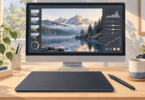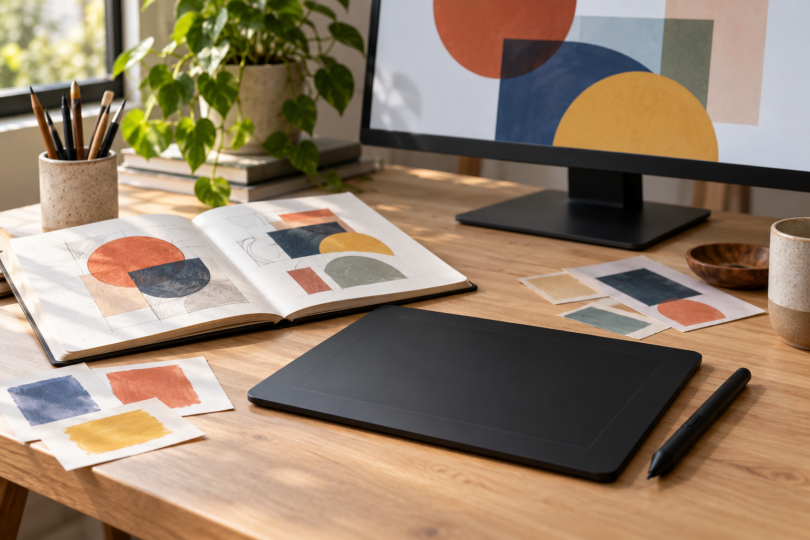

The Wacom Intuos Pro Medium PTK670 is our pick for designers who want pen control while working on an existing monitor. Choose the Wacom Cintiq 16 DTK168 if drawing directly on the image matters more than a lightweight desk setup. These are two different ways to work: a screenless pen tablet and a wired pen display.
We compared documented hardware, controls, connections and software requirements. The recommendations reflect those tradeoffs; they are not a hands-on speed, comfort or color-accuracy ranking.
Two Wacom tablets for different design workflows
| Pick | Best fit | Useful hardware | Main limitation |
|---|---|---|---|
| Intuos Pro Medium, PTK670K0A | Retouching, layout work and drawing while looking at your monitor | 263 × 148 mm active area; 10 ExpressKeys; two dials; USB or Bluetooth | No display or finger-touch input |
| Cintiq 16, DTK168K0A | Illustration and markups drawn directly on screen | 16-inch, 2560 × 1600 IPS display; Pro Pen 3; fold-out legs | 2 kg display; wired connection; no multi-touch |
Wacom Intuos Pro Medium: best for an existing monitor setup
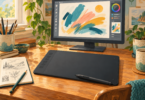
The PTK670 gives you a 263 × 148 mm drawing area in a 291 × 206 mm body weighing 411 g. That makes it the more portable of these two choices and an appealing fit when you already like your monitor. You move the pen on the tablet while watching the cursor on that separate screen, so allow time to get used to that coordination.
Its strongest reason to buy is the control layout: 10 customizable ExpressKeys and two mechanical dials, plus three side switches on the included, battery-free Pro Pen 3. The pen supports 8,192 pressure levels and tilt. Those are input capabilities, not a promise of better artwork or identical behavior in every app. This PTK670 generation has no multi-touch; do not buy it expecting finger gestures from older Intuos Pro descriptions.
Wacom lists a pen stand, replacement nibs, grip and switch accessories, and a 1.8 m USB-C-to-A cable in the standard package. Bluetooth is the wireless option. For a computer with only USB-C ports, check the exact box contents and plan the wired connection before ordering: the product specification says an adapter may be required. Software offers have separate registration and license terms.

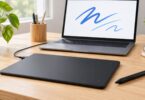
Wacom Intuos Pro Medium, PTK670K0A, with Pro Pen 3
As an Amazon Associate we earn from qualifying purchases.
Wacom Cintiq 16: best for drawing on the image
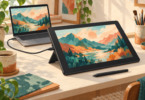
The DTK168 is the 16-inch Cintiq with a 2560 × 1600 IPS panel and Pro Pen 3. The direct drawing surface is the main attraction for illustration or detailed visual markups. Wacom specifies a 345 × 215 mm active area, anti-glare glass and typical coverage of 99% DCI-P3 and 100% sRGB. Gamut coverage describes a display characteristic; it does not establish calibrated color accuracy for your print workflow.
This model weighs 2 kg and has no multi-touch or wireless connection. Its built-in legs provide a 20-degree working angle; the adjustable stand is an optional extra. Compared with the Intuos Pro, it asks for more desk space and more attention to display positioning and cabling. Choose it because you want to draw on screen, not because a display automatically improves every design task.
The standard package includes Pro Pen 3, its attachable stand, an AC adapter, a USB-C cable for video/data and a separate USB-C power cable. One-cable operation requires a host that supplies both DisplayPort Alt Mode and USB Power Delivery. The alternative HDMI-plus-USB route requires separately sold cables. Check the host port and power requirements in Wacom’s Cintiq specifications; a USB-C connector alone does not establish the necessary capabilities.

Check the driver and your design app separately
Both products need a compatible computer setup. Before buying, match the model code and your operating-system version to Wacom’s driver downloads. The checked macOS 6.4.15-1 release lists PTK670 and DTK168 for macOS 13–15, 26 and 27. This is a model-specific check: a familiar product-family name does not establish support for an older generation.
On a Mac, installing the driver is only part of setup. Wacom’s macOS guidance also covers Accessibility, Input Monitoring and background permissions, followed by a restart. Follow the instructions for your own macOS version. Wacom’s Tahoe guidance notes that some System Settings windows may still need the trackpad or mouse.
For Photoshop, Adobe’s tablet guide explains application-specific Wacom settings and pressure-sensitive brushes. In Brush Settings, Shape Dynamics and Pen Pressure must be configured for the behavior you want. Verify your other design apps separately, especially any particular pen feature you depend on; the tablet’s pressure specification does not prove support throughout a software suite.
Frequently asked questions
Which is the better starting point for graphic design?
Start with the Intuos Pro Medium if you want pen input alongside a monitor you already use. Choose the Cintiq 16 if drawing directly over the image is a priority and you can accommodate a wired, 2 kg display. The better fit depends on how you work.
Do either of these replace a computer?
No. The PTK670 is a computer input tablet and the DTK168 is a pen display that connects to a host. Budget for the computer and the design applications you need separately.
Are the pens included?
Both standard packages include Pro Pen 3. They do not require buying a separate stylus to begin pen input. Check any seller bundle carefully rather than assuming every older Wacom pen or accessory fits.
Can I pinch to zoom with my fingers?
Neither exact model here supports multi-touch. Use the configurable controls, pen controls, keyboard or the computer’s other input devices as appropriate for your application.
Does Cintiq 16 work over Bluetooth?
No. DTK168 uses wired video and USB connections. Intuos Pro Medium PTK670 supports Bluetooth for pen-tablet input, but it has no screen to receive a video signal.