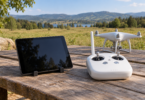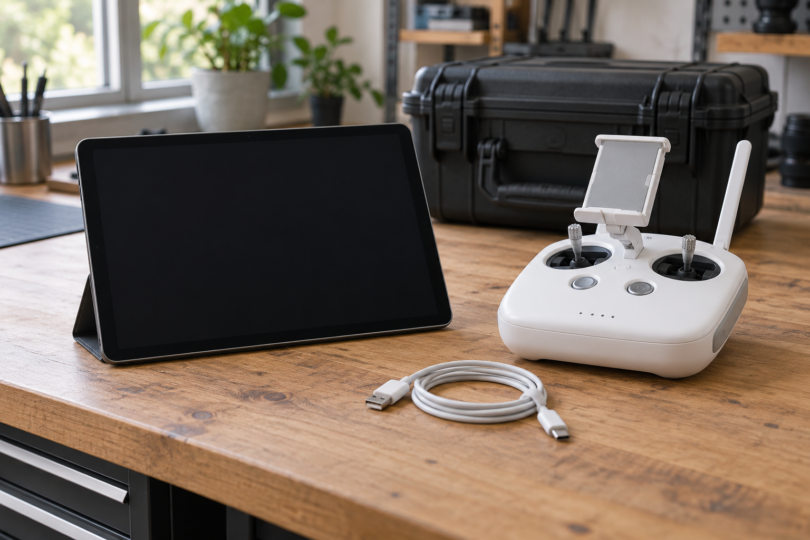

For a Phantom 4 with a standard phone/tablet controller, the iPad mini 4 and iPad Air 2 remain two specific legacy models named on DJI’s GO 4 download page. The mini is the lighter option; the Air 2 provides a larger display. Treat both as conditional choices for an existing legacy setup, not automatic purchases or a promise that every refurbished unit will work.
A newer tablet is not automatically a safer compatibility bet: the current App Store listing shows software installation eligibility, while DJI’s own recommended-model list is largely legacy and does not validate every modern tablet/controller/OS combination. We cannot give an unconditional new-tablet recommendation from that evidence. Before paying, confirm the exact controller, installed OS, ability to install DJI GO 4 and a seller’s return terms.
First check which Phantom 4 controller you own
- Original Phantom 4: DJI lists a USB video-output port and a holder for a phone or tablet.
- Phantom 4 Pro: the GL300F standard controller uses an external mobile device. The GL300E, supplied with the Pro+, has its own 5.5-inch display.
- Phantom 4 Pro V2.0: the equivalent distinction is GL300L for an external device and GL300K for the integrated display. V2.0 uses a different transmission system; do not assume controllers from different Phantom versions are interchangeable.
The tablet comparisons below are for the standard external-device route. A Pro+ integrated screen already supplies the display; buying a tablet does not establish a supported replacement-screen connection. For Phantom 4 Advanced, RTK, Multispectral or a changed controller, check that exact model’s documentation separately.
DJI GO 4, installation and OS support are different checks
Use DJI’s official GO 4 download page for this consumer Phantom 4 family. DJI lists iOS version 4.3.68 and an iOS 10.0 minimum; its Android download lists version 4.3.64 and Android 5.0 or above. These are published minimums, not a reason to install an obsolete OS or proof that any Android 5+ tablet works. The Android recommended-model list names phones, so this guide does not qualify an arbitrary Android or Fire tablet.
The US App Store listing currently includes iPad Air 2 and iPad mini 4 and gives an iPad minimum of 10.0 or later. That establishes listed installation compatibility, not successful operation with your aircraft. Check availability through the App Store on the actual tablet and account before committing to a secondhand purchase; do not rely on a seller’s old app screenshot.
Both tablets are on Apple’s iPadOS 15 branch. Apple records an iPadOS 15.8.8 security release for them on May 11, 2026, so it would be inaccurate to say they have received no recent security updates. That release does not promise future updates or long-term DJI support. Check the available security update and DJI guidance for the exact setup before use.
1. iPad mini 4: the compact legacy option
The Wi-Fi iPad mini 4 has a 7.9-inch, 2048 × 1536 display and weighs 298.8g. Its body is 203.2 × 134.8 × 6.1mm. These dimensions make it the smaller, lighter choice here, although its display also gives you less room for the live view and controls. Both it and the Air 2 use Lightning.
- Best fit: an owner who already has a working mini 4 or finds a correctly identified, returnable secondhand unit and prefers a compact display.
- Strength: lower tablet-only weight and a narrower body than the Air 2.
- Compromise: a small screen and aging hardware. Assess the individual battery, charging port and touchscreen rather than using its original advertised runtime as a promise.
A precise configuration to compare is iPad mini 4, Wi-Fi, 128GB, Silver, MK9P2LL/A. Apple’s historical product list confirms that identity. The matching retail listing we checked was unavailable, so there is no current purchase offer recommended here. Use Apple’s mini 4 specifications to check any alternative seller’s unit; a title that says “mini 4” is not enough when the model fields disagree.
2. iPad Air 2: the larger-screen legacy option
The Air 2 has a 9.7-inch, 2048 × 1536 display. Its Wi-Fi version weighs 437g and measures 240 × 169.5 × 6.1mm. Choose it over the mini only if that extra display area is worth the larger body and weight on your controller. The screen diagonal is 9.7 inches; 9.4 inches describes the body height, not the screen.
- Best fit: someone who prioritizes a larger display and can verify secure mounting and the actual controller connection before keeping the tablet.
- Strength: more display area than the mini, while retaining the Lightning connection used by these legacy iPads.
- Compromise: the 169.5mm body width leaves less room in a holder than the mini. A case can alter fit, and a refurbished unit’s battery condition is seller-specific.
The listing below is for one iPad Air 2, Wi-Fi, 64GB, Silver, MGKM2LL/A, Renewed. Apple’s historical SKU list confirms the model and configuration. The retail page also contains inconsistent generic family and memory fields; use the exact model number and ask the seller to confirm the actual unit, installed OS and return terms. Renewed status does not certify DJI performance or restore the device to current-generation hardware.
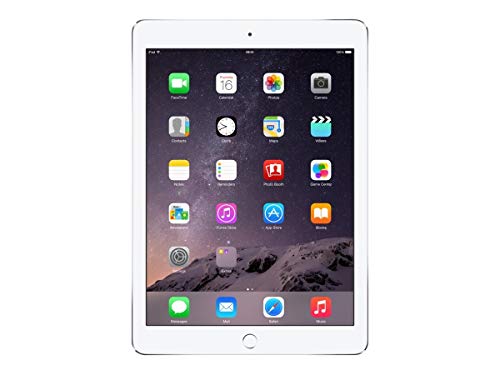
Apple iPad Air 2, Wi-Fi, 64GB, Silver (Renewed)
As an Amazon Associate we earn from qualifying purchases.
Check the cable, holder and tablet before keeping it
- Match the ports. DJI’s original Phantom 4 manual connects the mobile device to the USB port on the back of the remote. These iPads have Lightning ports, so use an appropriate data-capable USB-to-Lightning cable. A cable intended for a different DJI controller is not automatically the right one.
- Check the actual clamp. Compare the tablet’s body dimensions with your holder, including any case. Ensure the tablet is secure and the cable is not pulled tight. Screen diagonal alone does not establish fit.
- Check the individual used device. Confirm it can be set up, install GO 4 and charge normally. Inspect the screen, connector and battery condition, and make sure you understand the seller’s return process.
- Verify the complete setup on the ground. Follow the exact aircraft manual and confirm app communication and the live view before flight. Do not use a flight to diagnose an unstable connection.
Wi-Fi models and GPS are not the same thing
The Wi-Fi models above do not have the GPS/GNSS hardware Apple lists for their Wi-Fi + Cellular counterparts. DJI’s Phantom 4 documentation says Follow Me requires a GPS-equipped mobile device with a strong GPS signal. Do not buy a Wi-Fi-only iPad expecting that phone/tablet-location-dependent function. The aircraft’s own navigation hardware is a separate part of the system.
Frequently asked questions
What is the best tablet for a Phantom 4?
There is no unconditional current pick. DJI specifically lists iPad mini 4 and iPad Air 2 for GO 4; the mini is smaller and lighter, while the Air 2 has a larger display. Consider them only after checking your standard controller, actual tablet, app installation, connection and seller return terms.
Does Phantom 4 use DJI Fly or DJI GO 4?
DJI lists DJI GO 4 for the consumer Phantom 4, Phantom 4 Pro and Phantom 4 Pro V2.0 covered here. Use the official download page and the documentation for your exact aircraft. RTK, Multispectral and other specialized configurations need their own checks.
Do I need a tablet for a Phantom 4 Pro+?
The Pro+ GL300E controller and Pro+ V2.0 GL300K controller have integrated displays. The external-tablet comparison applies to the standard-controller route. Do not assume an external tablet can replace or extend a Plus controller’s screen.
Will any tablet that meets the minimum OS requirement work?
No. The stated OS minimum and App Store installation eligibility do not validate controller communication, physical mounting or reliable operation. DJI’s published Android recommendations name phones, and this guide does not qualify a modern Android tablet from those minimums alone.
Do I need a cellular iPad for GPS-dependent features?
Apple lists GPS/GNSS on the Wi-Fi + Cellular versions of these iPads, not the Wi-Fi-only versions selected here. DJI says Phantom 4 Follow Me needs GPS on the mobile device. Check the exact feature and hardware before buying; this is separate from the aircraft’s own GPS.