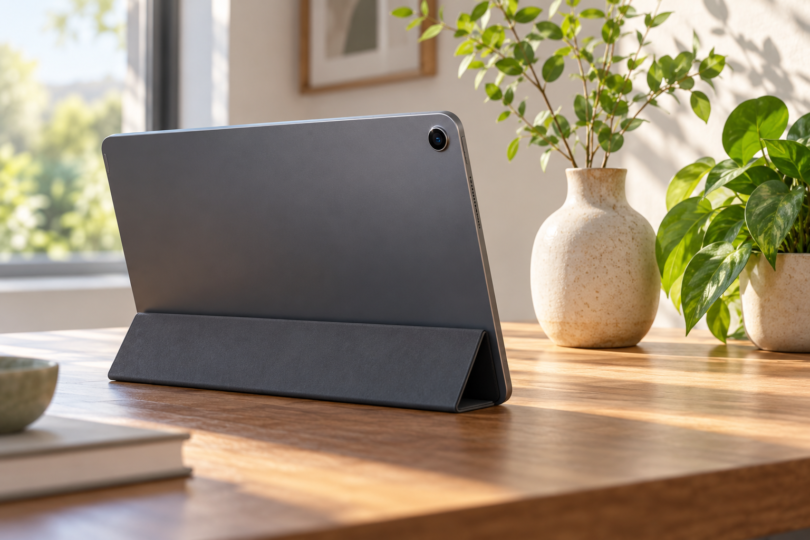

For everyday video calls and document capture, the iPad (A16) is a sensible first shortlist. Choose the Samsung Galaxy Tab S11 if Android and front-camera 4K recording matter. Consider the iPad Pro (M5) for its rear-camera production features, with an important storage-dependent ProRes limit.
The right camera on a tablet depends on which camera you actually use. A landscape-positioned front camera matters for calls; rear autofocus matters for documents; recording formats matter for video projects. Megapixel counts alone do not tell you which tablet will produce better-looking images.
Three tablet cameras compared
| Tablet | Front camera | Rear camera | Choose it for |
|---|---|---|---|
| iPad (A16) | Landscape 12MP Center Stage; up to 1080p60 recording | 12MP autofocus; up to 4K60 | Ordinary calls, scans, and general-purpose iPad use |
| Galaxy Tab S11, 11-inch | 12MP ultrawide; 4K recording and auto-framing | 13MP autofocus with flash; published video maximum 4K30 | Android use and higher-resolution front-camera recording |
| iPad Pro 11-inch (M5) | Landscape 12MP Center Stage; up to 1080p60 recording | 12MP autofocus, Adaptive True Tone flash; standard video up to 4K60 | Rear-video workflows, including ProRes with capacity restrictions |
Recording resolution is not call resolution. Your meeting app, account, settings, and connection can limit what other people receive. For example, Zoom documents account and configuration requirements for higher-resolution meeting video. A 4K-capable camera does not guarantee a 4K call.
1. iPad (A16): a straightforward choice for calls and scans
The A16 iPad puts its front camera on the long edge, making it a practical fit for landscape calls from a desk stand. Center Stage can keep you framed in supported calls. Its rear autofocus camera handles standard photo and video capture without requiring the Pro model’s production features.
The important specification split is front versus rear: the front records up to 1080p60, while the rear reaches 4K60. If your main goal is family calls, lessons, or occasional document capture, that is a more useful distinction than simply comparing both cameras’ megapixel counts.
- Pros: Landscape front camera; Center Stage; rear autofocus and standard 4K video.
- Cons: No front-camera 4K recording; not the choice for a ProRes workflow.
Apple’s A16 iPad specifications. The linked Amazon model is the 128GB Wi-Fi version in Silver.

Apple iPad 11-Inch A16, 128GB Wi-Fi Silver, One Tablet
As an Amazon Associate we earn from qualifying purchases.
2. Samsung Galaxy Tab S11: for Android and front-camera recording
The 11-inch S11 makes sense if you want an Android tablet for calls and also record yourself for presentations or lessons. Samsung expressly lists 4K recording and auto-framing for the series’ ultrawide front camera. That is a relevant capability difference from the iPads here, not proof of superior image quality in every setting.
It includes an S Pen for marking up captured material. Be careful with the model name: the standard S11 has one rear camera. The S11 Ultra’s additional rear ultrawide camera is not part of this configuration. Samsung’s US comparison and S11 hardware specifications spell out the distinction.
- Pros: 4K front recording; rear autofocus and flash; included annotation pen.
- Cons: No rear ultrawide on this model; the listed 4K capability does not establish your calling app’s output quality.
The linked model is the Galaxy Tab S11, 128GB Wi-Fi, Gray. It is the 11-inch tablet, not the Ultra.

Lineup note, October 4, 2026: Samsung’s S12+ and S12 Ultra page currently describes those larger models as coming soon. Check that lineup too if you want a larger screen rather than the S11’s 11-inch size.
3. iPad Pro 11-inch (M5): for specific rear-video features
The Pro adds Adaptive True Tone flash and a ProRes recording option. Buy it because your work uses those capabilities, not because the word “Pro” guarantees better calls: its landscape front camera still records up to 1080p60.
Check storage before buying for ProRes. Apple lists standard rear video up to 4K60, but ProRes reaches 4K30 only on the higher-capacity models. The 256GB version linked here is limited to 1080p30 ProRes. If 4K ProRes is essential, choose a 512GB-or-higher configuration and verify the selected listing before checkout.
- Pros: Rear adaptive flash; standard 4K60 capture; ProRes option.
- Cons: Front recording remains 1080p; base-storage ProRes limitation; one rear wide camera rather than multiple rear lenses.
Apple’s M5 iPad Pro specifications. The linked configuration is the 11-inch model with 256GB, Wi-Fi, Standard Glass, and Space Black finish; no Apple Pencil is included.

Choose the camera for the job
Video calls: position and setup first
For a desk-based call, look for a front camera on the long edge and a stand that places it near eye level. A camera on the short edge can give an off-center view when the tablet is horizontal. Leave the lens clear of your case and fingers, face a soft light source, and avoid a bright window directly behind you.
Check your actual calling app before buying. Auto-framing, background effects, and microphone controls can vary by app and software version. Auto-framing adjusts the composition; it should not be confused with the lens refocusing or with a physical camera that rotates to follow you.
Documents and whiteboards: prioritize rear autofocus
Autofocus is useful for capturing nearby text, but good scanning also needs adequate light and a steady, square-on view. Use a scan mode that detects page edges, then enlarge the result and check small print before discarding the original. A shiny page may look better with even room lighting than with a flash reflected straight back into the lens.
Searchable text is a software step. Photographing a page does not automatically make it searchable; look for OCR in your chosen scanning or PDF app. If reading and reviewing the resulting files is the main task, see our PDF-reading tablet guide.
Recording video: inspect the exact mode
Confirm front or rear camera, resolution, frame rate, recording format, and storage requirements separately. “4K” in a product title may describe only the rear camera. A higher frame rate and a professional codec are different features, and neither removes the need for decent sound and lighting.
For longer recording sessions, plan a stable mount, microphone compatibility, power, free storage, and how you will transfer the files. If you already own a good phone, try its camera before buying a tablet purely for photography; a tablet’s large preview can be useful, but its size can make handheld framing less convenient.
Frequently asked questions
Does a 13MP camera beat a 12MP camera?
Not automatically. Resolution is only one part of the result; optics, focus, lighting, processing, and motion also matter. We have not run a controlled image-quality comparison, so the one-megapixel difference here is not a quality ranking.
Is an iPad Pro necessary for good video calls?
No. The A16 iPad already provides a landscape Center Stage camera. The Pro’s rear-camera features are separate from the requirements of a basic call. Check app compatibility and improve your lighting and camera angle before upgrading solely for meetings.
Why does my call look worse than a saved camera video?
A calling service can reduce resolution or compress video to fit available bandwidth and account settings. Test a short local recording and a call under the same lighting. If only the call looks poor, inspect the app and connection before assuming the camera is the problem.
Can I replace my laptop with one of these tablets for meetings?
Possibly, but verify screen sharing, multitasking, external microphone support, and the specific meeting features your work requires. A good camera does not establish that a tablet app matches every feature of its desktop counterpart.